Structured cabling for the home
NetCom Security Group
Home LAN and structured cabling in a renovation or new build: outlets on every floor, cabinet, the right cables, fibre between buildings. Our own technicians.
This page is part of the section Networks, Wi-Fi and internet connectivity.
Structured cabling is the fixed network installation of the house: a dedicated cable from every outlet, camera and access point back to a central cabinet, where everything is connected in an orderly way. NetCom Security Group designs it for renovations and new builds and installs it with our own technicians, with the cameras, the alarm and the home automation already in mind.
A large house today has more devices than a small office: televisions, workstations, cameras, video entry system, sensors, access points, audio system. Every device that can live on a cable should live on a cable: the Wi-Fi stays free for phones and tablets, and the network stays stable for years. The installation is designed once, while the walls are open, and then forgotten about.
Why it matters to do it during the works
During a renovation or in a new house, network cables cost little and are laid together with the electrical ones. Afterwards, with the walls closed, every extra point means surface-mounted trunking or building work. That is why we ask to be involved when the electrical installation is being designed: together with the designer and the electrician we decide where the network outlets go, the points for cameras, access points, video entry system and sensors, and where the cabinet sits.
The electrician lays the ducts and, if they wish, the cables too; our own technicians terminate, certify and connect everything in the cabinet. Owners of a house that is already lived in are not left out: we assess the existing conduits, false ceilings and service shafts, and bring the cable wherever possible without invasive work.
How we design it
- Survey with the floor plan. Room by room, we mark today's fixed devices and tomorrow's likely ones: televisions, workstations, cameras, access points, video entry system, home automation.
- Installation diagram. One cable for every point back to the cabinet, with spare empty ducts for the future; fibre-optic backbones between buildings or between distant floors.
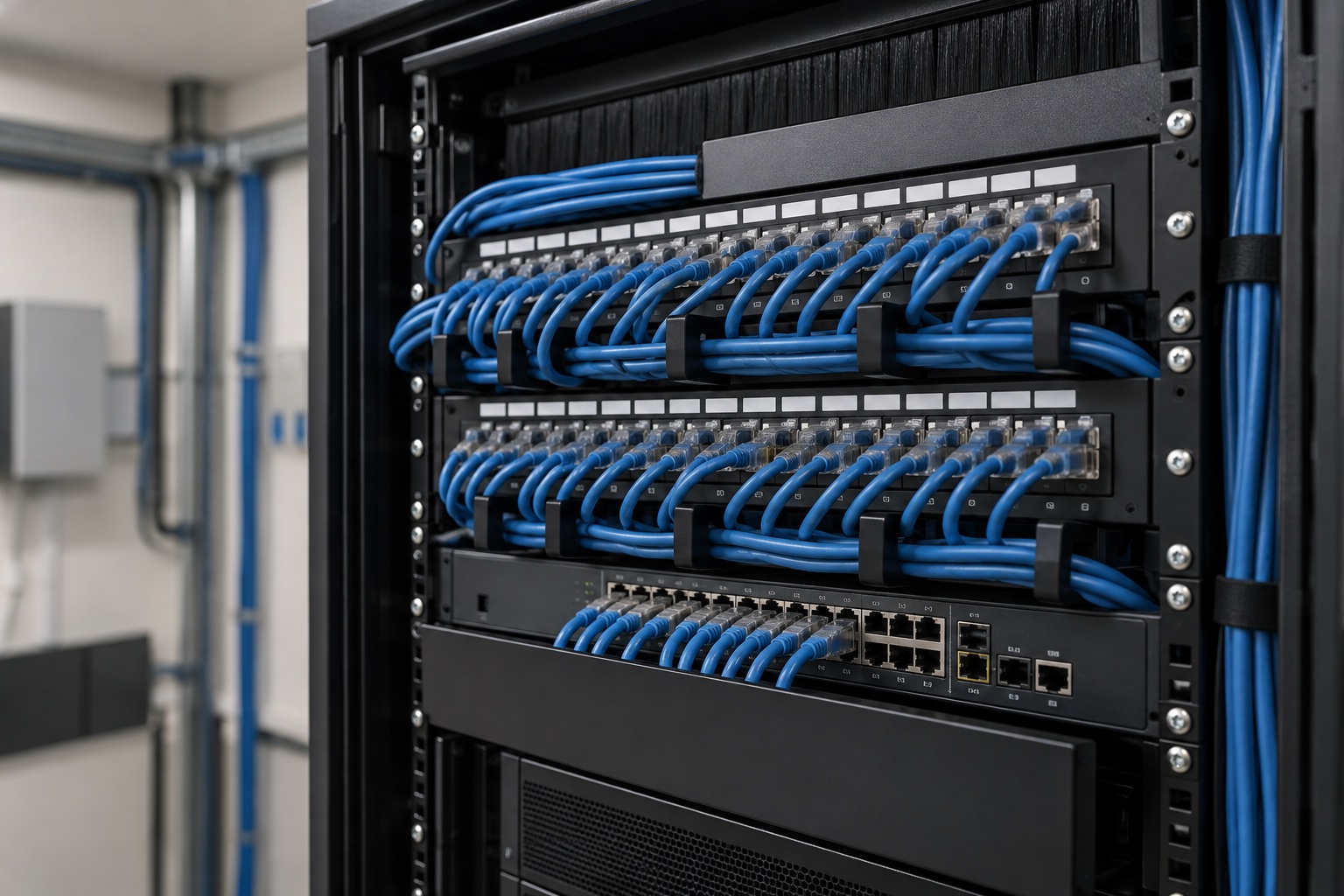
- Network cabinet. A cabinet in a plant room or a storeroom, with patch panel, switch, protected power supply and ventilation.
- Installation and termination. Our own technicians lay or terminate the cables, label every outlet and certify every line with the test instrument.
- Documented hand-over. We hand over the diagram with the outlet numbering: whoever comes after us will understand the installation in five minutes.

What it includes
Which cable to use in a renovation
For indoor points, a copper cable of a category suited to today's and tomorrow's speeds is used, shielded where it runs close to electrical cables. For long links, between the house and the guest house, the garage or the gate, fibre optics are used: unaffected by distance, lightning and differences in earth potential between buildings. Outdoors, cables run in an underground duct, with a spare duct alongside.
Our advice during a renovation: one extra empty duct costs very little and saves a future job. Where new cables cannot be run, we use the existing ducts of the telephone or aerial installation, if their diameter allows it.

The network cabinet: the heart of the house
The cabinet collects the cables from the whole house and holds the switch that powers them, the gateway, the camera recorder and, if there is one, the server or NAS. We place it in a dry, ventilated room, away from the bedrooms because of fan noise, with a power socket protected by a UPS (uninterruptible power supply). From here stem the dedicated pages on PoE switches and access points, home server and NAS and home gateway and firewall.
Together with the other systems
Well-made cabling is the foundation of the alarm systems, the video surveillance, the access control and the home automation: every system finds its cable already in place. For Wi-Fi see Wi-Fi for large houses and villas; for the camera network, the page on the network for IP cameras and security systems.
Frequently asked questions
How is a home LAN network installed?
With a dedicated cable from every outlet, camera and access point back to a central cabinet, where a switch connects them to each other and to the internet. NetCom draws the diagram on the floor plan, lays or terminates the cables with our own technicians and certifies every line; the installation is done once, during the works, and lasts for decades.
Which cable is used for the network in a renovation?
A copper cable of a category suited to current speeds for indoor points, shielded near electrical cables, and fibre optics for long links and between buildings. Outdoors, the cable runs in an underground duct with a spare duct alongside. NetCom chooses the category based on the distances and the equipment planned.
How many network outlets does a large house need?
At least a double outlet wherever there is a television or a workstation, one in every bedroom and in the kitchen, plus the points for cameras, access points, video entry system and home automation. NetCom counts them room by room on the floor plan and adds empty ducts for the future.
How much does network cabling for a house cost?
In NetCom's experience the cost depends on the number of points, the distances, whether the walls are already open and the cabinet to be fitted out. During a renovation, with the walls open, it is a modest item compared with the rest of the works. After the site visit we prepare a written proposal.
Who lays the cables: the electrician or NetCom?
Both, with clear roles: the electrician lays the ducts and, if they prefer, the cables too; our own technicians terminate, certify and label the lines and fit out the cabinet. NetCom coordinates the work with the contractor and the designer.
Can a house that is already lived in be cabled?
Yes, almost always. NetCom uses the existing ducts of the telephone or aerial installation, the false ceilings and the service shafts; where a cable cannot be run, a dedicated radio link or a well-designed Wi-Fi network fills the gap. The site visit is precisely for working out where we can reach without building work.
See also
Text by NetCom Security Group. Last updated: 31 October 2026.
Let's talk about your project
Tell us where the house or business is and what the network has to do: we will get back to you to arrange the site visit. You can also call +39 045 245 7879.