Home gateway and firewall
NetCom Security Group
Do you need a firewall if you already have a router? Gateway with firewall, VPN for remote access, separate guest and home automation networks, updates. NetCom.
This page is part of the section Networks, Wi-Fi and internet connectivity.
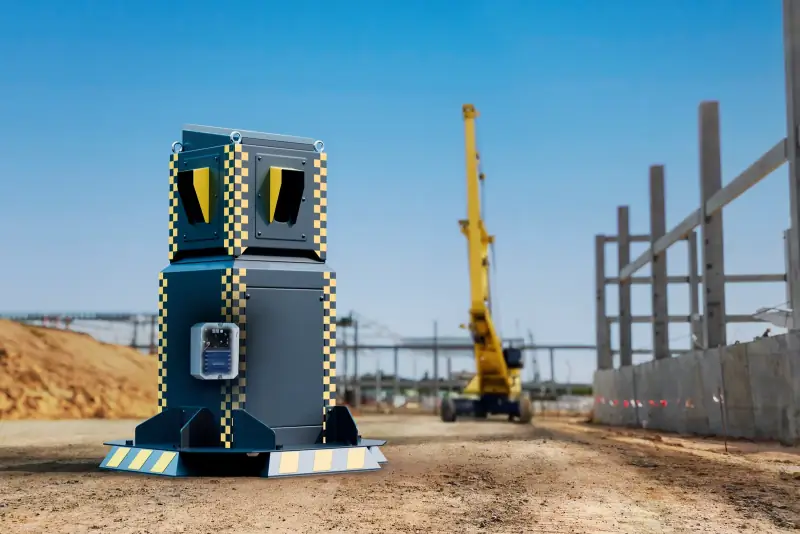
The gateway is the device that sits between the house and the internet: it contains the firewall, which decides what may come in and go out, and creates the protected access through which the owner reaches cameras, home automation and storage from outside without opening ports. NetCom Security Group installs it in place of the provider's basic router when the house has cameras, an alarm, home automation and guests.
The router supplied with the internet line does one thing: it connects the house to the network. It does not separate guests from cameras, it does not protect remote access, it does not warn you when something goes wrong. In a large house, with dozens of devices and people coming and going, you need a device designed for this job, managed and kept up to date over time.
Do you need a firewall if you already have a router?
The provider's router contains a basic level of protection, enough for a house with a few devices. It becomes insufficient when there are cameras reachable from outside, a storage unit with documents, home automation that opens gates and shutters, and guests and staff with their phones. In these cases the firewall of a dedicated gateway does three more things: it separates the networks and establishes who may talk to whom, it blocks attempts to get in from outside and logs them, and it creates an encrypted tunnel for the owner, the only way in from outside.
The provider's router stays where it is, reduced to a simple modem; everything else goes through the gateway.
Remote access without open ports
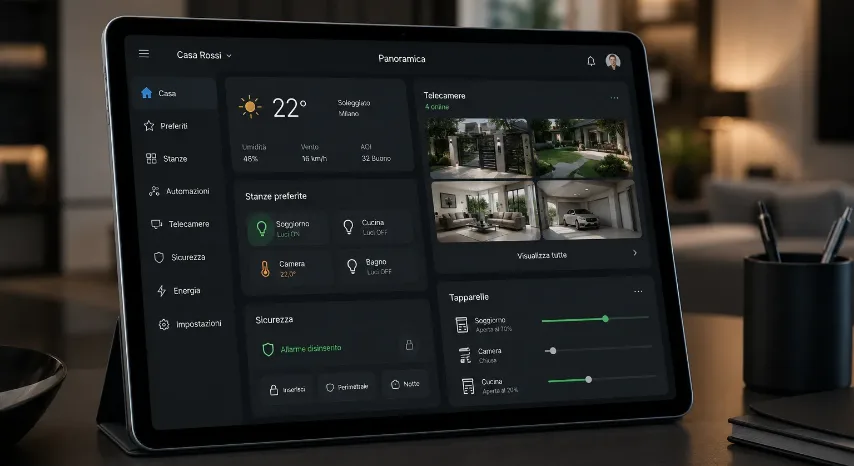
The wrong way to view the cameras from outside is to open a port on the router: it becomes visible to anyone scanning the internet, and that happens every day. The right way is a VPN, an encrypted tunnel between the owner's phone and the home gateway: from outside the house looks closed, from inside the tunnel you see everything as if you were on the sofa. The same tunnel serves anyone working away from home, the colleague who needs to see the documents, the technician providing support, each with their own credentials and their own permissions.
Between two houses, or between the house and the office, the gateway creates a permanent link: the cameras at the lake house can be viewed from the office as if they were down the corridor.

How we design it
- Map of the networks. Family, guests, cameras and recorder (NVR), alarm and home automation, work: each group has its own network and its own rules.
- Firewall rules. Who may reach what: guests only the internet, home automation only its own services, cameras only the recorder and the owner's app.
- Remote access. An encrypted tunnel for the owner and for anyone who needs to get in, with personal credentials and, where needed, a second factor.
- Dual line. If the house has two internet connections, the gateway uses them both and switches from one to the other by itself in case of failure: see backup connectivity.
- Installation and updates. Our own technicians mount it in the cabinet, on the UPS (uninterruptible power supply), and keep it up to date over time through the central management console.
What it includes
The guest network and the home automation network
Guests and household staff must be able to browse without seeing the cameras, the computers and the storage. The guest network does exactly that: it has its own name, a different key, can expire on departure and reaches nothing in the house. Home automation, in turn, has a network of its own: the devices that open the gate or raise the shutters must not be visible from a guest's phone or from a poorly updated television. The principle is that of the analysis separate networks, connected functions: everything talks, but only through precise rules.
Together with the other systems
The gateway protects remote access to the video surveillance, the alarm systems, the home automation and the home server and NAS. It sits in the cabinet together with the switch, see PoE switches and access points, and is controlled from the same management console as the other equipment: cloud-managed network. For those who live far from the house, the page for owners living abroad.
Frequently asked questions
Do I need a firewall at home if I already have a router?
You need one when the house has cameras, an alarm, home automation, a storage unit and guests: the provider's router does not separate the networks, does not protect remote access and does not warn you. NetCom installs a gateway with a firewall that does these three things and leaves the router as a simple modem.
How do you view the cameras securely from outside the house?
With an encrypted tunnel, a VPN, between your phone and the home gateway: from outside the house stays closed, inside the tunnel you see everything as if you were at home. NetCom never opens ports on the router for the cameras: that is how installations get found and breached.
What is the guest network and what is it for?
It is a separate Wi-Fi network, with its own name and key, that gives guests and staff the internet only: no visibility of cameras, computers, storage or home automation. NetCom sets it up with time-limited access and, if requested, a different key for each guest.
Is home automation a risk to network security?
It is if the home automation devices sit on the same network as the computers and can be reached from outside. NetCom puts them on a reserved network, makes them invisible to guests and allows remote control only through the gateway's encrypted tunnel, with regular updates.
Does the gateway replace the provider's router?
It works alongside it: the provider's router stays connected to the line and acts as a modem, while the gateway manages the networks, the rules, remote access and, if there is one, the dual line. NetCom configures both so that they do not interfere with each other.
What happens if the gateway fails?
The house is without internet until it is replaced, as with any router; cameras and alarm keep working locally and the alarm uses the backup cellular line. NetCom keeps the configuration in the central management console: a replacement unit takes over in a few minutes.
See also
Text by NetCom Security Group. Last updated: 31 October 2026.
Let's talk about your project
Tell us where the house or business is and what the network has to do: we will get back to you to arrange the site visit. You can also call +39 045 245 7879.